Disable Sounds in VSCode
Some time ago, VSCode suddenly began making sounds when I save my files — without any change in configuration.
Here’s how to turn them off.
First, bring up the command palette with Command+Shift+P. Then, type List Signal sounds

You’ll see a list of events that trigger sounds.
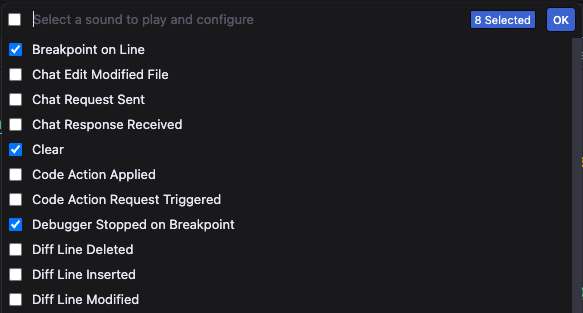
Uncheck the ones that annoy you. Here are the main culprits that drive me mad:
- Code action applied
- Code action request triggered
- Error at Position
- Error at Line
- Inline suggestion at line
- No inlay hints on line
- Undo Edits
- Warning at Position
- Warning at Line
But since I like coding without disruptions, I eventually unchecked everything.
Happy coding in silence :)