Understanding CSS Box Sizing Property
The box sizing property is the single most useful property I have found ever since I started making websites. Border-box is the key to most website layouts simpler, to the point that even frameworks like Boostrap, Foundation and Susy use it.
In this post, you’ll get to understand what this property is, and how it might save you countless hours of frustrations for your next website.
CSS Box Sizing
If you know some CSS, you should have heard of the box model.
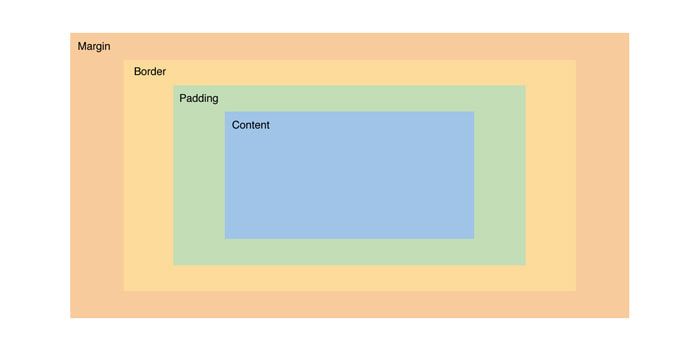
By default, the content of an element makes up its width. Box sizing allows you to change what makes up the width of the element.
Box Sizing Values
Box sizing can take up to 3 different values
- content-box (default)
- padding-box
- border-box
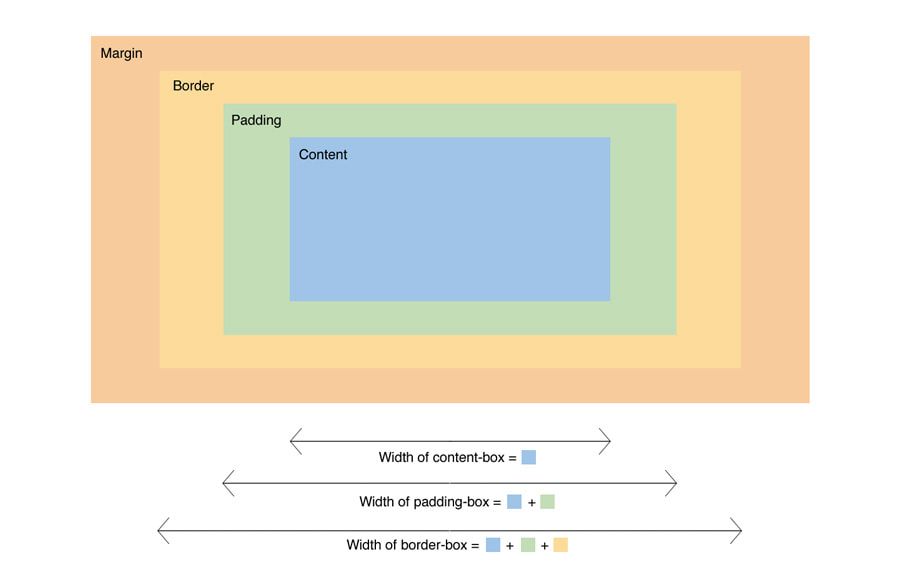
As we can see above, the width of the element is determined by the box sizing property given.
At present, only content-box and border-box are commonly used and well support by browsers (IE 8+ and other major browsers).
Although padding-box might be useful in some cases, support for it is not great at the moment.
Whats the big deal?
Its much more intuitive to style with border-box than with content content-box. Here are two use cases that I often encounter and need border-box for.
Case 1: Setting Up Layouts
When setting up grids, its much easier for me to think this way:
- Content takes up 75% of the space
- Padding of 5% for breathing space
- Sidebar takes up 25%
With that, my code will be
.content {  width: 75%;  padding: 0 5%;}
.sidebar {  width: 25%;}
Instead of :
- Content takes up 75% of the space
- Padding of 5% for breathing space
- Content width is therefore 75% - 10% = 65%
- Sidebar takes up 25%
and the resulting code
.content {  width: 65%;  padding: 0 5%;}
.sidebar {  width: 25%;}
Using content-box introduces a higher cognitive overload.
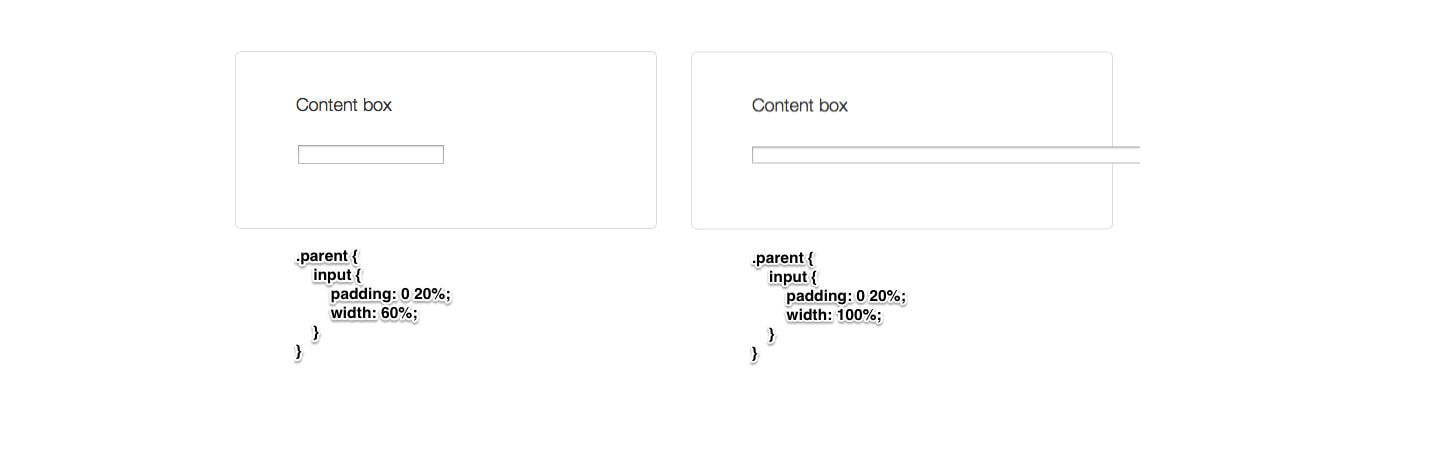
Case 2: When Width of Child Adds up to 100%
Instead of trying to explain in words, an example will probably be easier to explain.

How to use
Simple! Put these lines of code into your CSS File.
* { -webkit-box-sizing: border-box; -moz-box-sizing: border-box; box-sizing: border-box;}Or if you’re using Compass, border-box sizing is already built into a mixin.
* { @include box-sizing(border-box);}Performance hits with the * selector here isn’t an issue according to Paul Irish, so use away!
Usage with IE7
By any chance if you require a polyfill for IE7, the one made by Schepp is awesome.
Edges cases where content-box might be more useful
There are essentially none. But knowledge of both content-box and border-box allows you switch between the two if you ever need to!