ZL
About Articles Contact
Published on Dec 7, 2018
Filed under:
#video,
#git

The Gitignore file

If you don’t want to commit a file into a Git repository, it makes sense not to have the file show up in the staging area.

You can do this with a Gitignore file.

In the video, we installed a library called Typi with npm. Many files come into our staging area when we installed Typi.
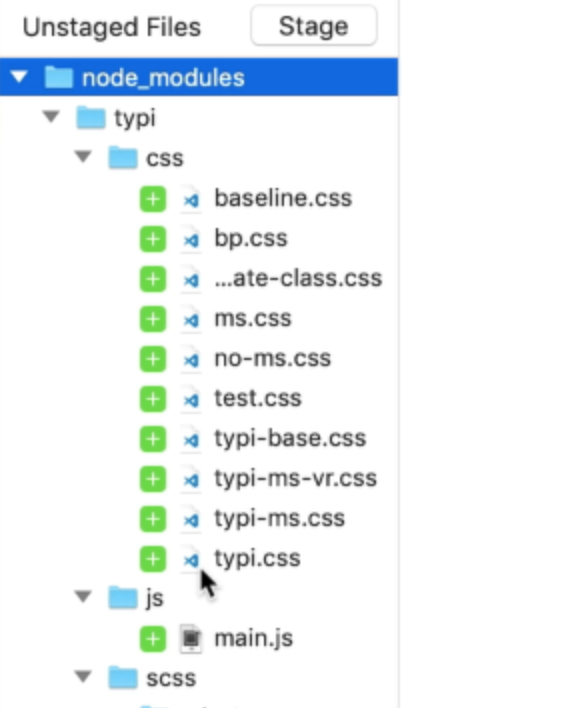
Node modules files in staging area

To prevent node_modules and its files from appearing in the staging area, you:

  1. Create a .gitignore file at the root of the project
  2. Add node_modules in the Gitignore file

And the staging area becomes clean. AT this point, you want to commit your .gitignore file to preserve what to ignore.
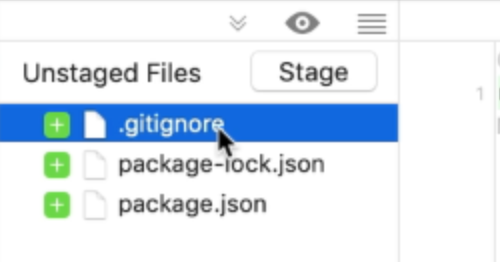
Node modules removed from staging area

How to use Gitignore

Each line in the Gitignore file can be used to match files and folders you don’t want to see in the staging area.

  1. To ignore a file, you write the file name.
  2. To ignore a folder, you write the folder name
  3. To ignore an extension, you can use a * wildcard, like *.log
Previous On Advocacy Next Using Standard with VSCode

Join My Newsletter

I share what I’m learning on this newsletter: code, building businesses, and living well.

Sometimes I write about technical deep-dives, product updates, musings on how I live, and sometimes my struggles and how I’m breaking through.

Regardless of the type of content, I do my best to send you at least one insightful piece every week.

If you’re into making things and growing as a person, you’ll probably feel at home here.

“

Zell’s writing is very accessible to newcomers because he shares his learning experience. He covers current topics and helps all readers level up their web development skills. Must subscribe.

Chen Hui Jing
Chen Hui Jing — Web Developer
The Footer

General

Home About Contact Testimonials Tools I Use

Projects

Magical Dev School Splendid Labz

Socials

Youtube Instagram Tiktok Github Bluesky X

Follow Along

Email RSS
© 2013 - 2026 Zell Liew / All rights reserved / Terms