Best practices for container queries
I’ve been playing around with container queries and so far, there is only one best practice that I would recommend.
Whenever you use container queries, make sure you wrap the element with a container element.
So your HTML should look like this:
<div class="container"> <div class="component"> … <div><div>This container should not be the element that creates a grid in your layout.
So don’t do this.
<div class='grid container'> <div class="component"> … <div><div>Do this instead
<div class="grid"> <div class="container"> <div class="component"> … </div> </div></div>Now, all three code examples above assume you’re using an unnamed container, which is sufficient for most use cases.
.container { container-type: inline-size;}There’s a reason why we need to do this
Most of the time, I would have preferred the second structure (where the grid is also the container) because I will be able to reduce the <div> soup in the HTML.
After all, who doesn’t love clean code?
But beyond the obvious benefit (more semantic-looking HTML structure), there’s a reason why we have to use the third HTML structure which I recommend.
<!-- There’s a reason why we need this structure --><div class="grid"> <div class="container"> <div class="component">…</div> </div></div>If you use the second structure, you won’t be able to use container query units
These units will likely be inaccurate.
Consider this.
If you use the second HTML structure, your .grid will be the container.
Since your .grid is the container, container query units will be based on the height and width of the .grid. This is probably not what you want, because it can produce unintended (huge) sizes like the one you see below.
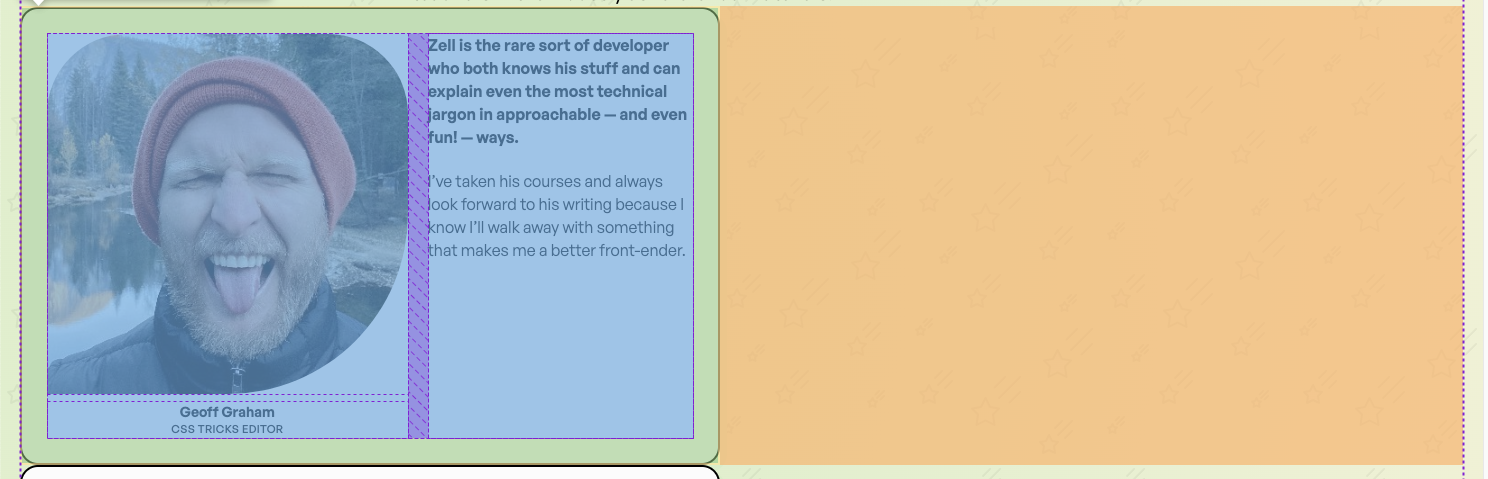
In this example, I set the image to 25cqi — which means 25% of the width of the container.
But because the .grid is the container, cqi draws from the width of the .grid (which is almost the same as the browser viewport in this case). So cqi produced an oversized image.
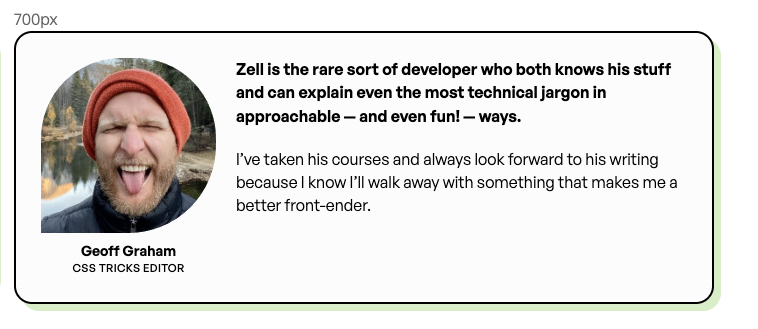
These blunders can be prevented if we used the HTML structure I recommend — because container query units will draw its width from the grid item instead.
Here’s the corrected version of what I was trying to create:
That’s it!
This is really straightforward and I hope this article helps you prevent making some of the blunders I made when testing out container queries 🙂
As to the real reason why I made this blunder… well I was simply trying to see if I could use :has to automatically make the parent element a container.
And from there, I encountered this error!